One clear next move
Priority and overdue work rise above the rest without hiding your actual day.
 brieflyOS
brieflyOS 1.3 beta
Calendar, reminders, Smart Triage, and fast capture come together in one focused daily workspace.
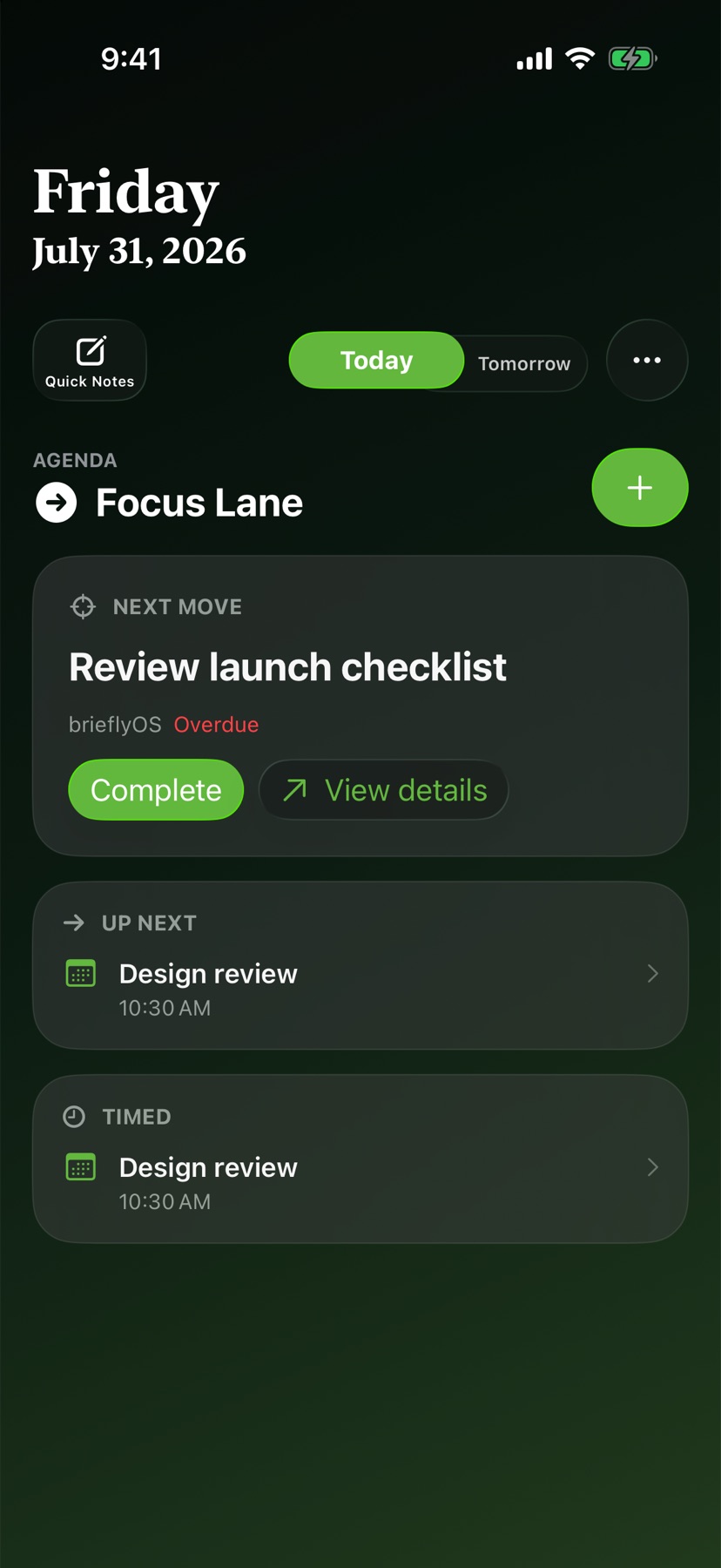
Focus Lane uses your priority baseline to surface the one task that matters, keeps what is next close, and leaves everything else within reach.
Priority and overdue work rise above the rest without hiding your actual day.
Move between Today, Tomorrow, Next 3 Days, and Next Week without an endless date strip.
Archive a duplicate or time hold from brieflyOS while leaving the original Calendar or Reminder item intact.
Smart Triage
brieflyOS creates a reliable priority baseline first, then can add context with private on-device intelligence or an AI provider you choose.
Every suggestion remains an editable draft. Adjust the title, due date, all-day setting, Reminder List, priority, or tags before anything changes.
Built-in rules sort reliably without an internet connection, an AI account, or sending your tasks anywhere.
On supported devices, Apple Foundation Models can add context while processing stays on your device.
Bring your own API key for optional cloud-assisted triage. It is never contacted until you enable it.
Type naturally. brieflyOS recognizes dates, times, and tags while you write, then saves with one action.
Write first. Share directly to Apple Notes when the thought belongs there.
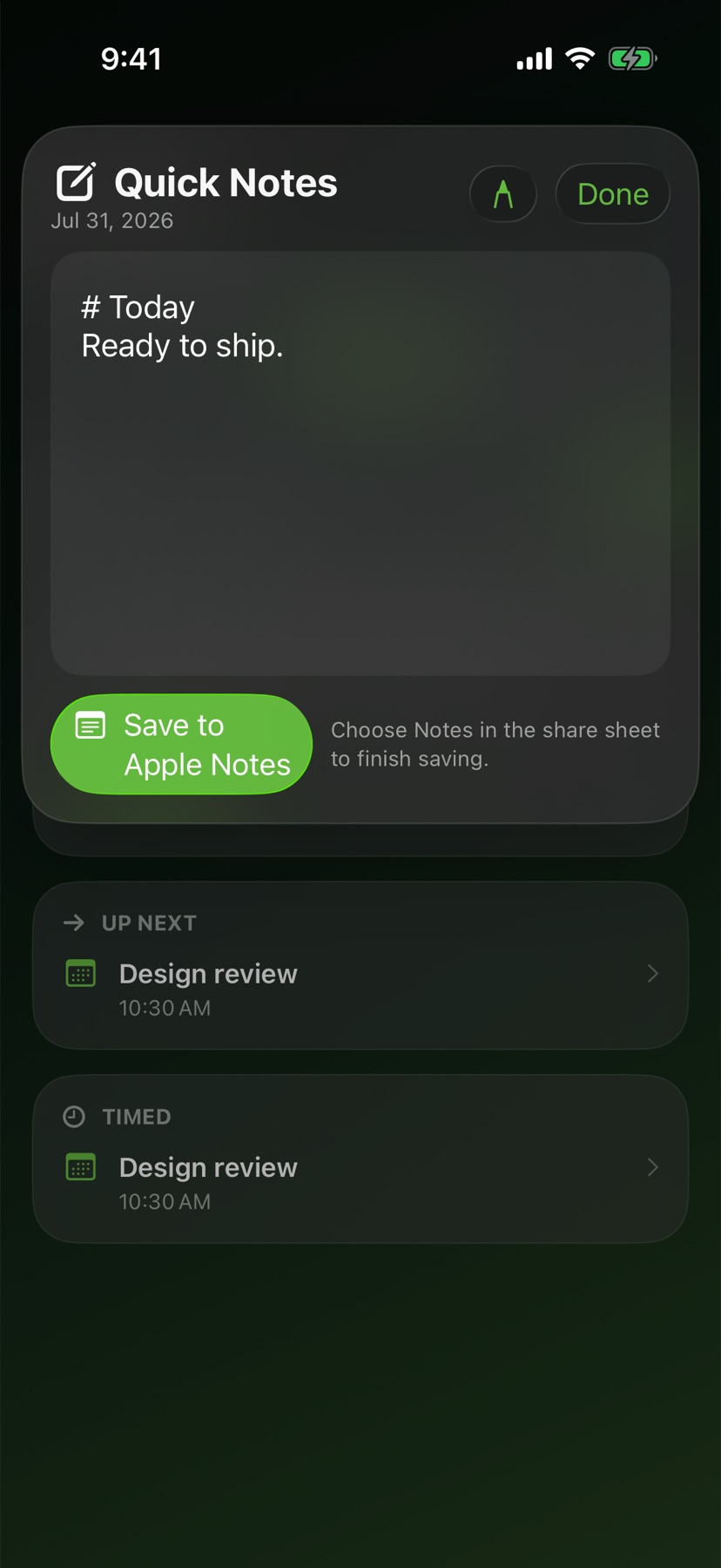
Call up a compact entry panel from anywhere. Return saves and closes. Escape cancels.
Open voice capture from a complication and send the result to your Inbox for triage.
Nightly Recap
Open the red-on-black capture screen from its Live Activity, write or speak what is on your mind, and wake up to Inbox items ready for triage.
The same day moves with you, from a desk to a wrist to the Lock Screen.
Smart Triage, Quick Notes, location alerts, Focus filters, priority-first Home and Lock Screen widgets, Control Center capture, and interactive Live Activities.
Global Quick Entry, responsive controls, and draggable pinned tasks that stay above your work.
A priority snapshot, voice capture, completion controls, and complications that keep the next task or Inbox one tap away.
App Intents open Today, export notes, start Nightly Recap, and expose focused actions to automation.
Choose from focused home modes, three color families, light and dark appearances, and a full set of alternate icons.
Explore themes in Support


No ads. No tracking. No data brokers. Calendar and Reminder items remain in Apple system stores. Notes sync through your private iCloud database.
No. It gives you a focused working view while your events and reminders remain in Apple system apps.
No brieflyOS account is required. iCloud features use the Apple ID already signed in on your devices.
Yes. Those permissions are optional and only support location alerts, dictation, and voice capture.
Not by default. Built-in rules work locally, Apple On-Device intelligence stays on supported devices, and OpenAI Luna is contacted only if you explicitly enable it with your own API key.
brieflyOS 1.3 supports iPhone, iPad, Mac, and Apple Watch running version 26 or newer.
Join the public TestFlight beta and help shape the brieflyOS 1.3 release.